A shopper subscribes because something caught their attention: a product, an offer, or a useful guide. Your welcome series is the next part of that conversation. If it repeats a generic greeting three times, or keeps pushing a first-order discount after purchase, the opportunity becomes friction.
A Shopify welcome email series is an automated sequence for new email subscribers. Its job is to fulfil the signup promise, help people make a confident choice, and respond when their relationship with the store changes. Every message needs a reason to exist.
These ten decisions connect the editorial plan to the actual flow. Use the tools below to map a sequence, try your copy, and diagnose the handoff before adding more emails.
Define the decision your welcome series should support
Start with the question a new subscriber needs answered before ordering. For a coffee brand, it might be which roast suits their brewing method. For furniture, it might be whether the dimensions and delivery arrangements work. The sequence should reduce that uncertainty rather than simply announce that your business exists.
Write a one-sentence objective: help new subscribers choose their first product, understand the offer they requested, or explore a relevant collection. Choose a primary outcome, then list the information that makes it easier. A founder story belongs in the journey when it explains a meaningful product decision.
Separate this goal from adjacent automations. Cart recovery follows shopping intent, order confirmations explain a transaction, and post-purchase education supports something already bought. A welcome flow can coordinate with those journeys without trying to replace them.
Before writing, review the signup invitation, the destination product pages and common customer questions. You are looking for a missing connection between interest and confidence. A free consultation with Senditive can help you discuss that connection and prioritize the most useful welcome journey.
For a coffee subscription, explain roast choice and brewing fit before presenting every subscription option. Give the reader a clear place to start.
Confirm who is eligible to enter
A profile in your email platform is not automatically a new marketing subscriber. Establish where permission came from, which channel it covers, and whether confirmation is still required. Keep the welcome email audience separate from people whose address exists only because they checked out or contacted support.
In Klaviyo, double-opt-in behavior depends on the relevant subscription setup. For a list using double opt-in, a signup that has not been confirmed is not yet a confirmed member of that list. Diagnose that handoff before treating a missing welcome email as a creative problem.
Map every intended source to the correct destination. Shopify footer forms, a dedicated subscribe page and a platform signup form can take different paths. Check the list selected in the Shopify integration and the list connected to the flow; matching names are less reliable than checking the actual destination.
Record the expected result for each source: confirmation request, list membership, then the welcome trigger. Existing subscribers and imports need separate decisions. Email permission does not establish SMS permission, and changing a technical setting does not settle every country's consent requirements.
Reference: Opt-in confirmation; Shopify subscriber sync.
Give each email one useful role
Plan the series as a set of distinct jobs before choosing a template. A practical starting structure is to welcome and fulfil the promise, help the subscriber choose, then answer the objection that still prevents action. Some stores need another message; others need fewer.
For every email, write its purpose, the reader's question, the evidence required and the primary call to action. If two messages answer the same question with the same products and button, combine them or give one a different job. Repetition should reinforce a useful idea rather than fill a scheduled slot.
Keep the first screen focused. A reader should quickly understand why the message arrived and what they can do next. Supporting links can help, but a full navigation menu, several competing promotions and unrelated products make the main decision harder to see.
Make the CTA match the purpose. A product-selection email might invite someone to compare roasts; an education message might lead to a care guide. 'Shop now' can work when the reader is ready, but it does not describe every useful next step.
Use the planner to draft an architecture, then challenge each card. Remove anything you cannot connect to the first-order decision.
Plan the purpose before the template
Welcome sequence planner
Choose the decision you want to support. Edit the proposed delays and give every message a different job.
Set your own delays. The numbers are hours after the previous message, except the first delay after eligibility.
Welcome, guide and resolve
Choose a goal above to build a sequence and edit its timing.
Start with the subscriber decision and the original signup promise.
Choose a goal or edit the proposed schedule.
 senditive.com
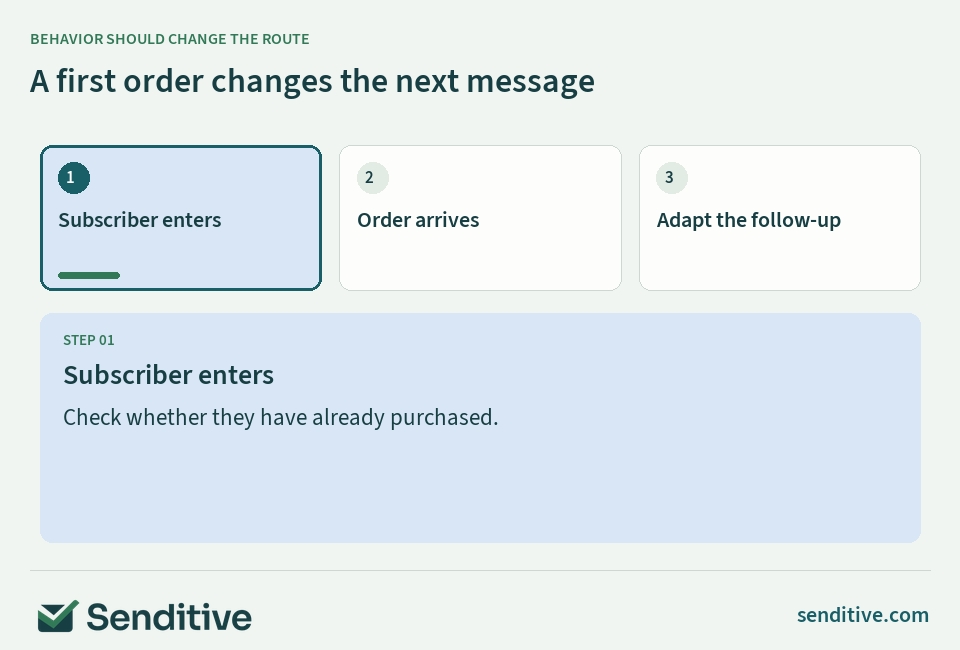
Separate existing customers and check purchase behavior again
New subscriber and new customer are different states. Someone may subscribe after ordering, or join your email list months after a purchase. A first-order introduction that assumes they know nothing about the products can feel disconnected from their experience.
Create an appropriate route for prior buyers. They may still need the promised resource, a clear explanation of what emails to expect, or a relevant product guide. They usually do not need repeated instructions to make a first purchase. Check that any first-order incentive is actually available to them before displaying it.
In Klaviyo, a conditional split can evaluate purchase history and send people down different paths. A split records the decision at that point; it is not a substitute for checking whether someone purchases later. Decide which later promotional messages should be skipped or changed after an order.
Use profile or message filters suited to that decision and verify the relevant order event. Klaviyo evaluates profile filters at entry and before flow actions; a message-level additional filter has a narrower scope. Test a profile that purchases between emails so the next experience reflects the new relationship.
Reference: Welcome series setup; Triggers and filters.
Set timing as a hypothesis, then coordinate the pressure
Someone waiting for a promised code or guide has a different urgency from someone learning about a considered purchase. Make the first eligible message useful promptly, then give later messages enough space for the reader to take the previous step. Your product and buying cycle should shape that starting plan.
Write delays explicitly as time since the previous message or time since entry. Those are different schedules. Include the assumed confirmation step and any existing campaign sends. A neat sequence diagram can conceal a crowded inbox when the same person qualifies for several automations.
Check each message's Smart Sending setting instead of assuming a welcome template handles frequency for you. In Klaviyo, a message skipped because of Smart Sending is not automatically moved to a later slot. Email and SMS frequency windows also operate separately, so one is not an overall contact-pressure cap.
Choose one timing question to test, such as whether a product-choice email works better with a longer pause. Keep the content and audience comparable. Review useful clicks, purchases and negative signals together; do not adopt a universal hour-by-hour formula simply because another store uses it.
Reference: Smart Sending; Flow branch testing.
Deliver the exact incentive or resource people expected
If the signup invitation offered a discount, the welcome experience should make that same offer easy to understand and use. A product guide should lead to the promised guidance. Early access should explain what access means and when subscribers can expect it, rather than quietly turning into an unrelated sale.
Keep restrictions consistent across the form, confirmation experience, email and store. Check minimum spend, eligible products, expiry and whether an offer can combine with other discounts. A prominent button is not enough when the landing page or checkout contradicts the original invitation.
For coupons, distinguish a static code from a unique code and check how your setup supplies it. Klaviyo's in-app coupon preview is different from a real code sent to an inbox; available codes and a complete redemption test matter. Inspect the actual email and checkout behavior instead of approving only a screenshot.
Do not increase the discount automatically in every follow-up. First check whether confusion, product fit or a broken handoff is the obstacle. If your invitation and delivery feel disconnected, a free consultation can help you discuss the offer and the changes that deserve attention first.
Reference: Coupon delivery and testing.
Teach product choice and earn trust with real evidence
Useful welcome content answers the questions a product page cannot always resolve on its own. Explain a difference between options, show a relevant use case, or clarify care and compatibility. Aim to make the customer's choice easier, not to compress your entire catalogue into one email.
Select a small number of products with a reason for each recommendation. A first-time buyer might need a dependable starting option, while someone who volunteered a preference can receive more specific guidance. Keep a sensible fallback for subscribers whose preference is missing; an empty product block breaks confidence.
Use evidence you can verify. A genuine customer review, a documented material detail or a clear explanation from the product team is more useful than unsupported superlatives. Preserve the meaning of a review and confirm permission and any required disclosure before reusing customer content.
 senditive.com
Connect the inbox to the message
Live welcome message builder
Try a subject, preheader and focused message. Select the preview button to check the next-step connection.
Live preview
Edits stay in this preview.
Senditive · Welcome email
Add a subject
Add a preheader
A clearer place to start
Explain the promise and the next useful step.
Continue the same decision
The destination should match the purpose of the message.
senditive.comInbox displays vary by device and app.
Choose a message role or edit the copy.
senditive.comMake the welcome path work with campaigns and other flows
Inventory the messages a new subscriber could receive during their first week. Include scheduled campaigns, cart recovery, post-purchase messages and automations from other apps. Decide which system owns each purpose. Duplicate welcomes can come from two working systems rather than a failure inside one flow.
Shopify Messaging and an email platform can each be part of the store's marketing setup. Review the active native automations before turning on a replacement. Disable only the overlapping marketing journey you have identified; avoid treating all Shopify customer notifications as disposable.
Choose how regular campaigns interact with onboarding. You might exclude certain new subscribers from a broad promotional send, or allow a relevant launch while reducing repetitive welcome content. The right decision depends on what the person needs, the promise they accepted and the current total pressure.
Write ownership and exception rules down so another team member can maintain them. When the customer purchases, the next priority may shift to order expectations or product use. Preserve necessary information while removing messages that still behave as if the first order has not happened.
Reference: Shopify automations.
Test real entry, message states and every next step
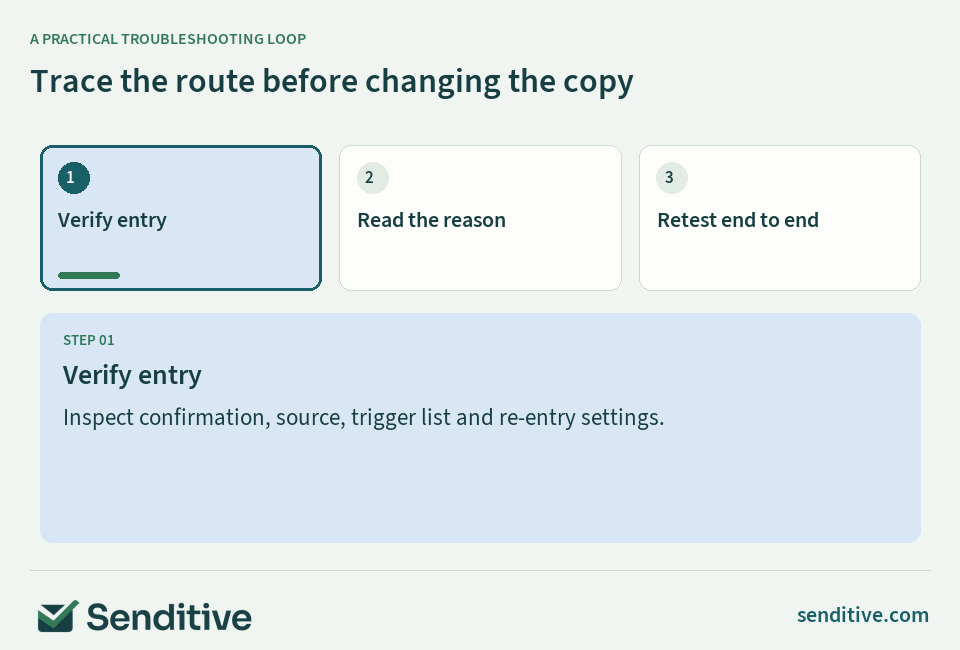
A polished preview cannot establish that the correct person enters a flow or receives the right message. Test the complete route with fresh profiles representing a new prospect, an existing customer and a person who purchases after entry. Include more than one genuine signup source when your store uses several.
Inspect the trigger, confirmation status, filters and individual message states. Klaviyo's list- and segment-triggered flows default to No re-entry; check the current trigger setting before assuming an old test profile will run through again. A resubscription is not a reliable substitute for a clean end-to-end test.
Review why a profile is waiting, needs review or was skipped. Manual messages and Live messages behave differently, and an unconfigured action can remain in Draft even when other actions are enabled. Follow the recorded reason instead of repeatedly changing unrelated copy or delays.
Test links, mobile reading order, images-off comprehension, personalization fallbacks, coupons and the destination page. Confirm that a purchase prevents the intended follow-up pressure. If the route remains unclear, a free consultation can help you discuss the flow's priorities and a practical roadmap for resolving them.
Reference: Welcome flow troubleshooting; Prelaunch flow checks.
Read the route, then choose the fix
Welcome flow troubleshooting guide
Describe one test profile. The next checks change with eligibility, entry history, message status and purchase behavior.
Your next checks
Start by checking subscription eligibility and the list that triggers the flow.
Choose the states you can verify in the profile and recipient activity.
senditive.comMeasure first-order progress and improve one decision
Start with a defined subscriber cohort and observation period. Track how many people became eligible, reached each message, clicked a useful destination and placed a first order. Separate prior customers so their repeat orders do not quietly answer a question about first purchases.
Read attributed revenue alongside the model that produced it. Lookback windows, credited interactions and bot or privacy-related activity affect reported results. Klaviyo can exclude Apple Mail Privacy Protection opens from attribution without removing them from reporting. A higher open rate or attributed total alone does not prove the sequence created additional demand.
Bring commercial context into the review: discount cost, product margin, returns, support questions and unsubscribes. Compare similar acquisition sources and time periods. A welcome series receiving more high-intent subscribers can appear stronger even if its actual messages have not improved.
Turn the review into one next test. Change a confusing CTA, compare a useful education message, or test a delay while keeping other major variables stable. Record what changed and why. With small cohorts, keep uncertainty visible and allow sufficient time rather than declaring a winner from a handful of orders.
Reference: Attribution settings; Flow branch testing.
Your questions, answered
How many emails should a Shopify welcome series contain?
Use the number needed to fulfil the promise and resolve distinct first-order questions. Start with a small sequence whose messages have different jobs, then test additions against customer outcomes and contact pressure. More messages are useful only when they add relevant information.
Should the welcome series stop after someone buys?
Stop or adapt messages whose purpose is still to secure a first order. The customer may still need a promised guide, useful product information or clear expectations. Test the purchase conditions before later messages instead of assuming an earlier split will reflect a later order.
Why is a subscriber not receiving the welcome email?
Check confirmation, the actual destination list, trigger and re-entry settings, filters and message status. Then inspect the recorded waiting or skipped reason. Test with a fresh profile; an old profile or a manual list change may not reproduce the real signup route.
Do welcome emails always need a discount?
No. Relevant product guidance, release access or a helpful resource can give subscribers a reason to continue. If the signup promise included a discount, fulfil it consistently. If it did not, diagnose the buying obstacle before adding an incentive that affects margin.
Choose your next improvement
A useful welcome series creates continuity: the invitation makes sense, the first message fulfils it, and later emails help the subscriber choose with confidence. Start with clear purposes and reliable audience rules, then use real customer behavior to improve the sequence.
Sources and further reading
- Klaviyo: How to create an email welcome series
- Klaviyo: Understanding the double opt-in process
- Klaviyo: Understanding flow triggers and filters
- Klaviyo: Troubleshooting a list- or segment-triggered flow
- Klaviyo: Understanding Smart Sending in Klaviyo
- Klaviyo: Getting started with coupon codes in Klaviyo
- Klaviyo: How to change your attribution model
- Klaviyo: How to A/B test flow branches
- Klaviyo: How to make sure your flow is ready to start sending
- Shopify Help Center: Shopify Messaging marketing automations
- Klaviyo: Getting started with Shopify